About

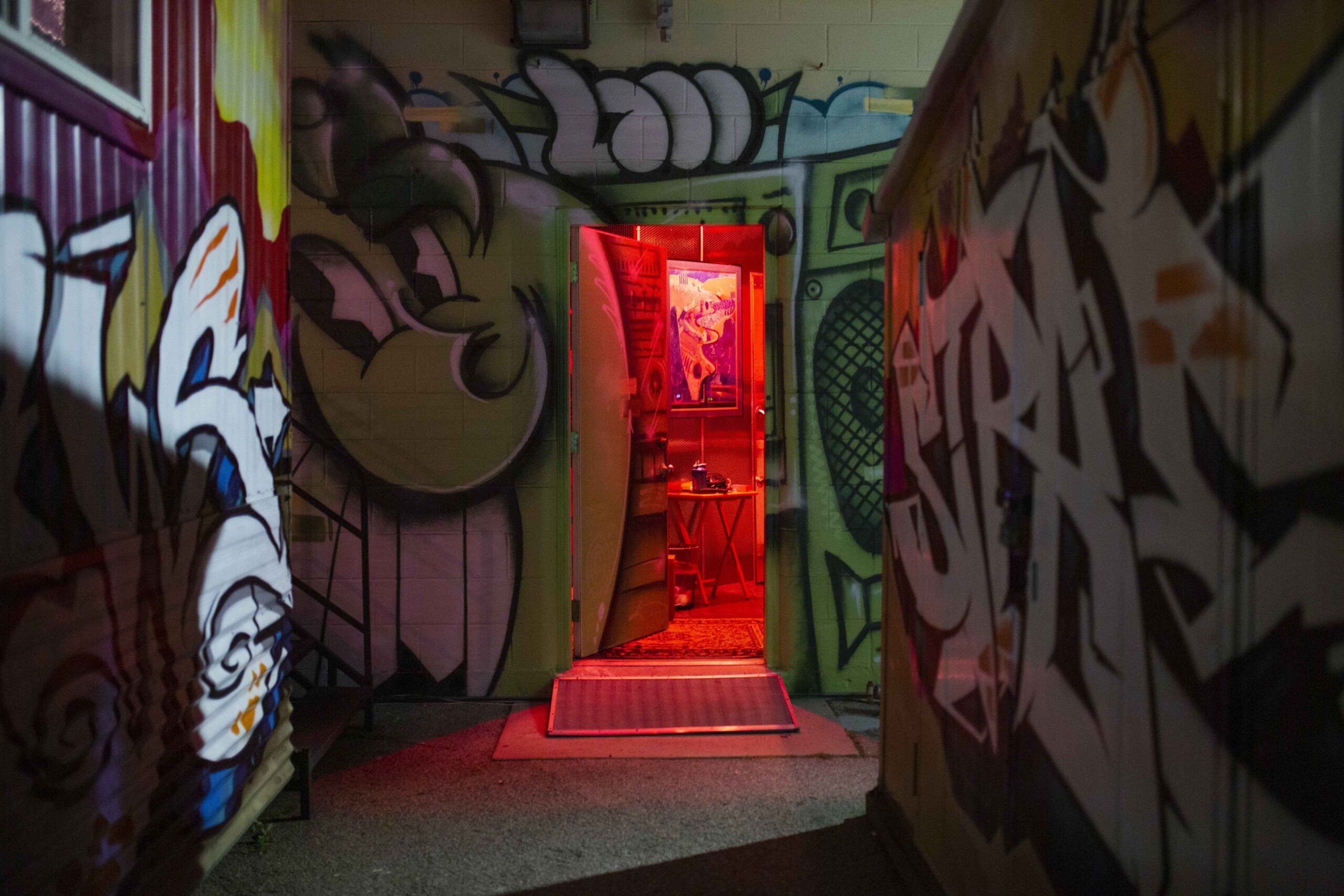
Brad Gilderman brings over 40 years of experience in audio engineering and mixing to Little Big Room Recording Studio. With credits including Michael Jackson, Tom Petty, Britney Spears, Kelly Clarkson, Eric Clapton, Madonna, Jay-Z, and seven years as lead mixer for American Idol, the studio was built to deliver polished, professional productions for clients in Los Angeles and worldwide.
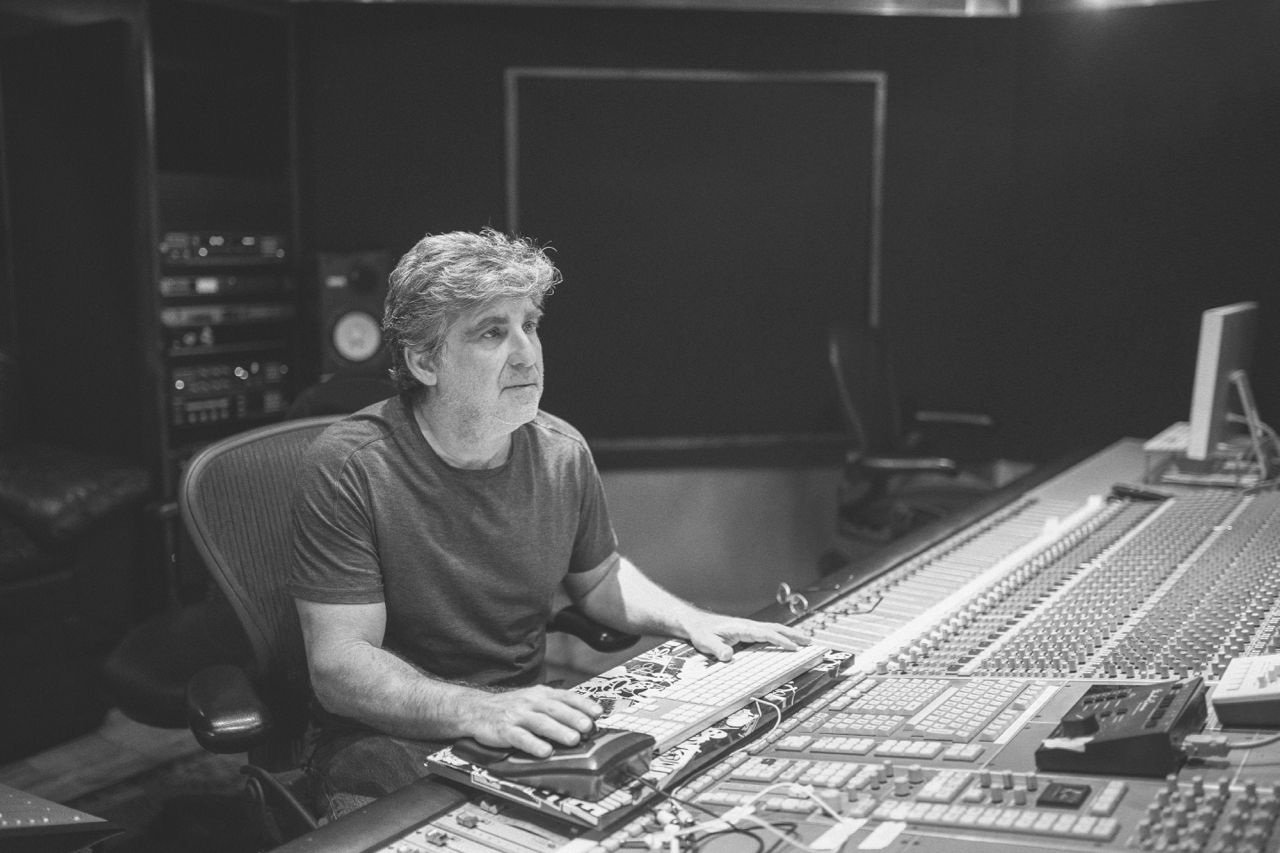
I’m Brad Gilderman, a Grammy-nominated mixer and engineer helping artists and creators turn recordings into finished, professional productions

438
Completed Projects
40
Years of Experience
6
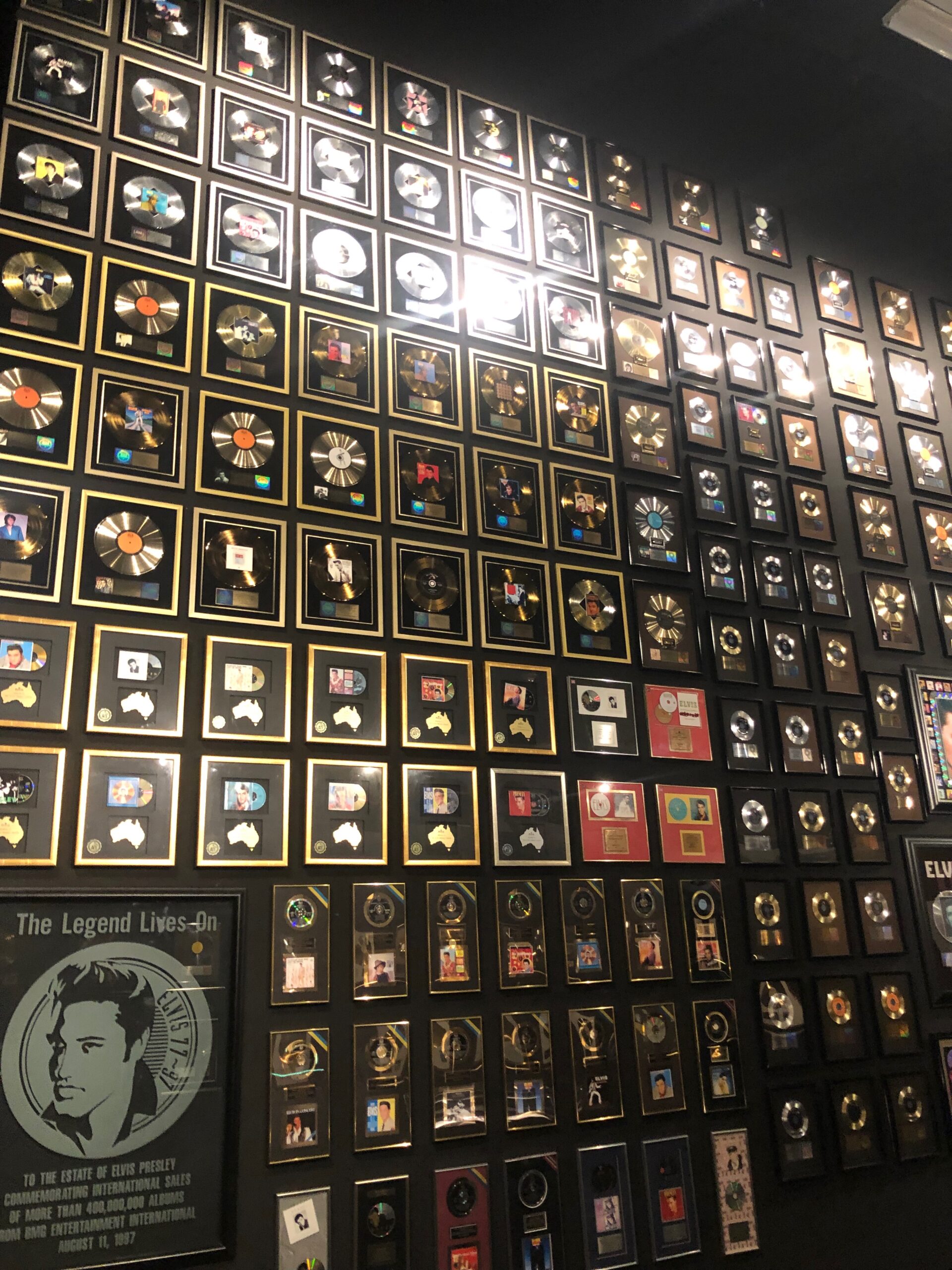
Awards & Nominations

Awards

6 Emmys / Grammys
3 Golden Reel Nominations
13 Tek Nominations
Manufacturer Endorsements

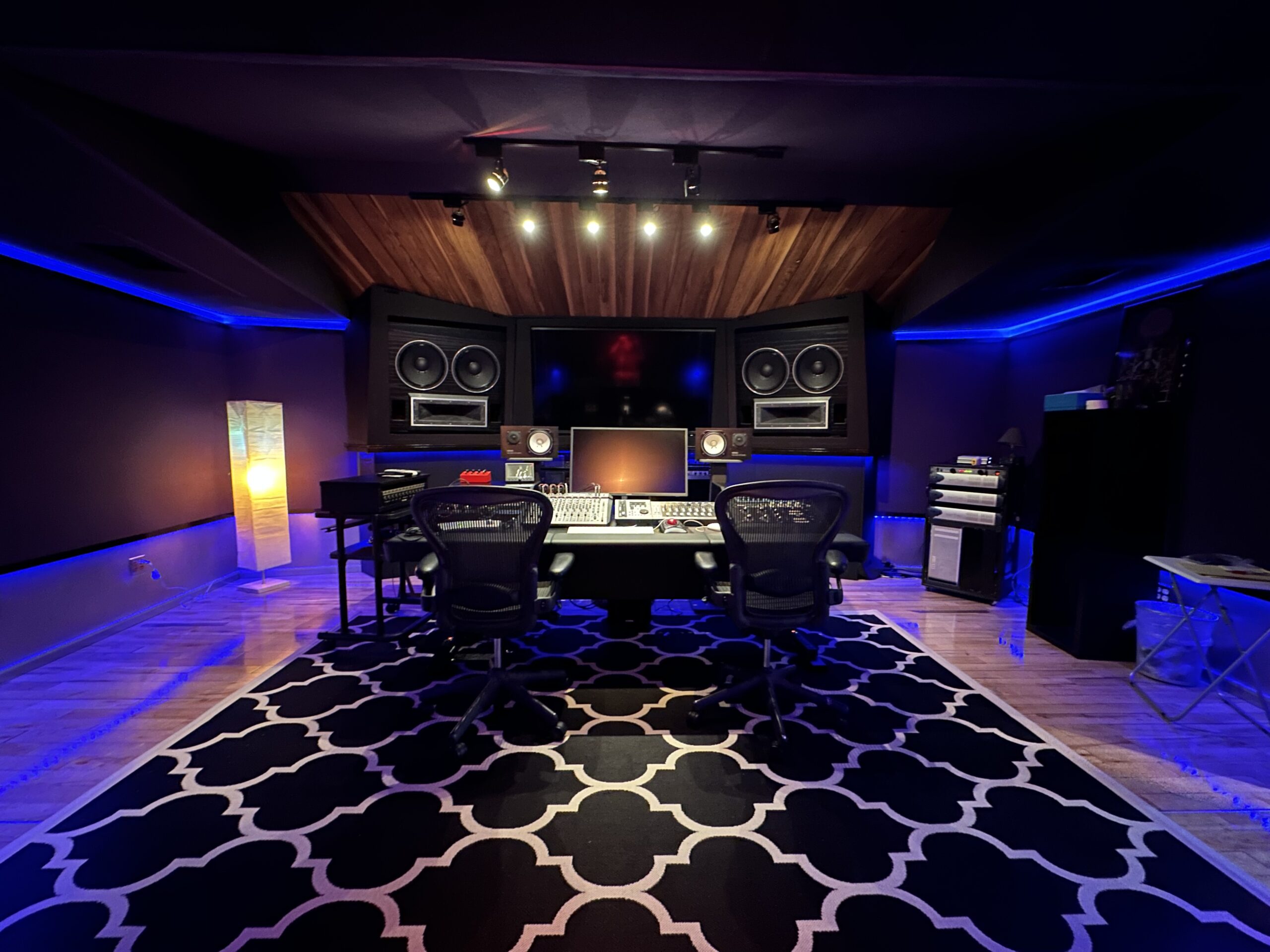
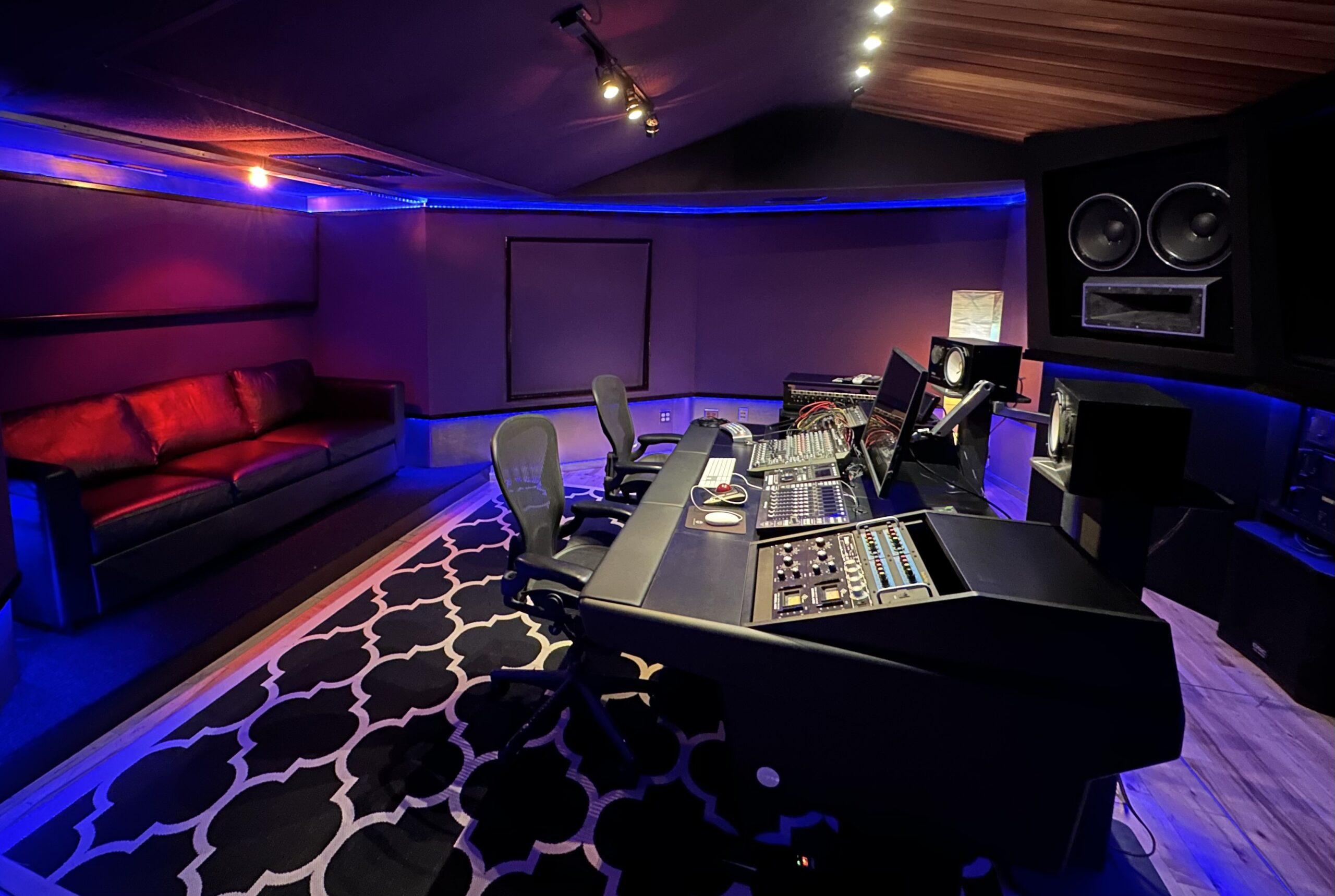
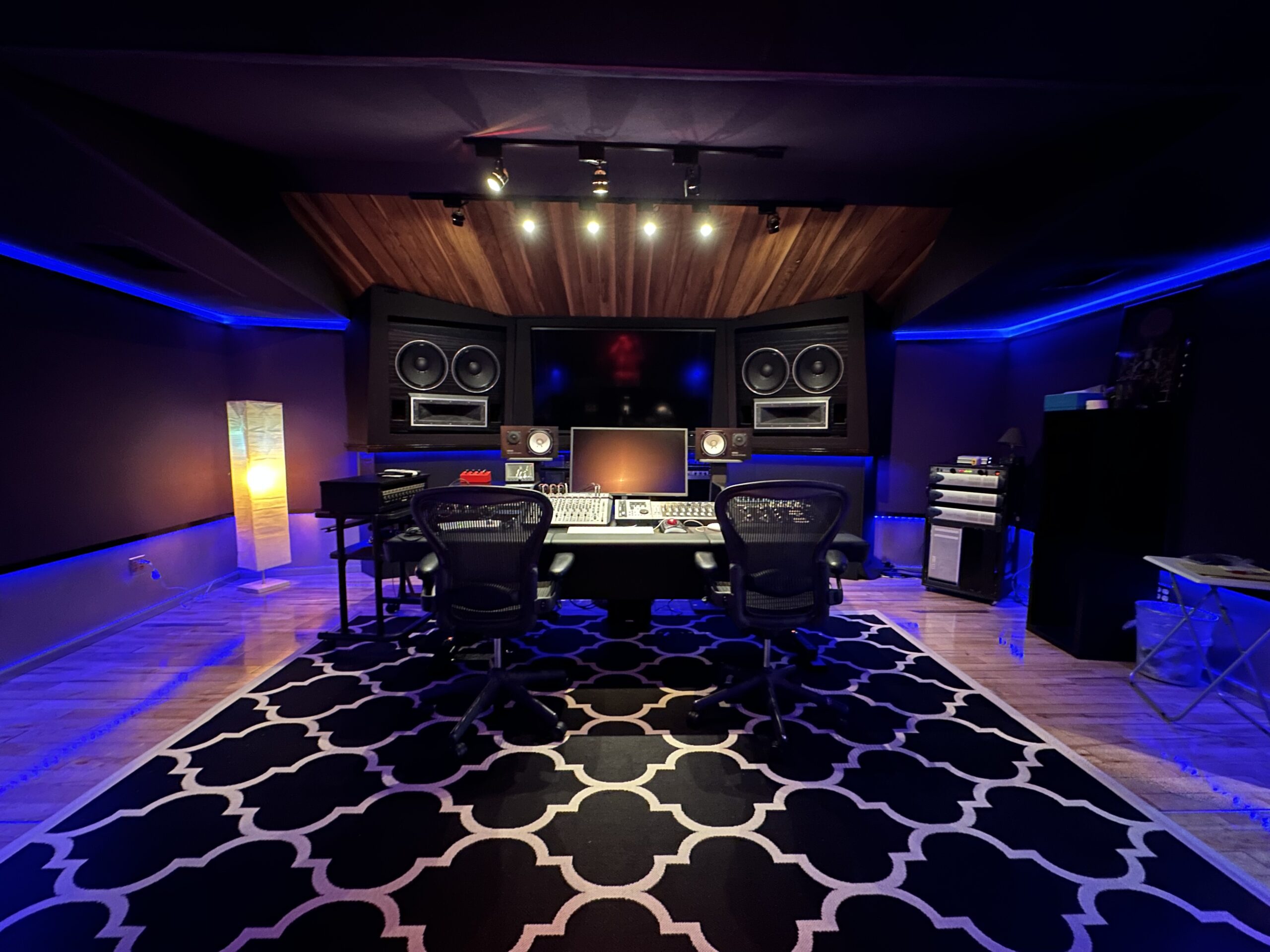
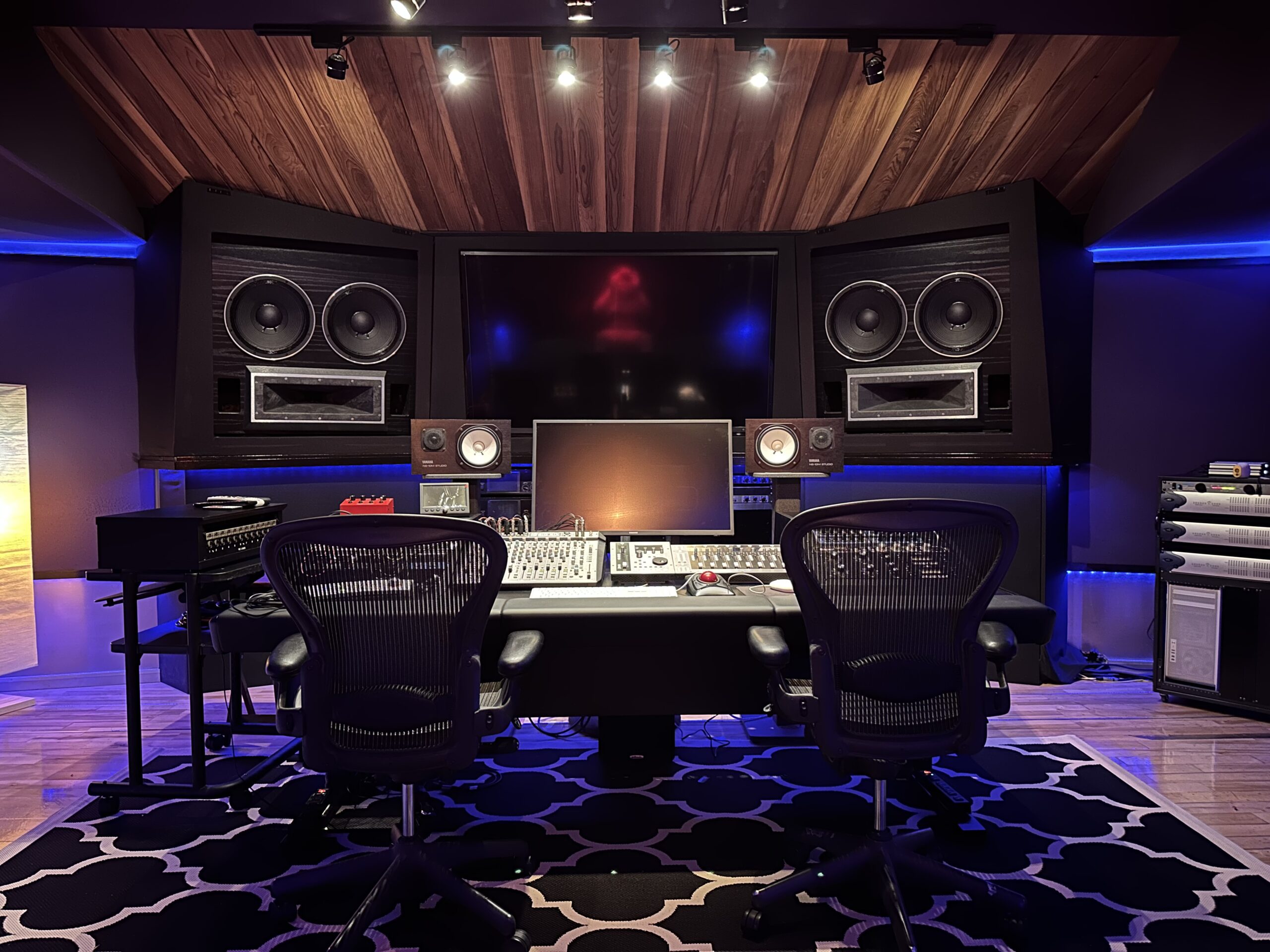
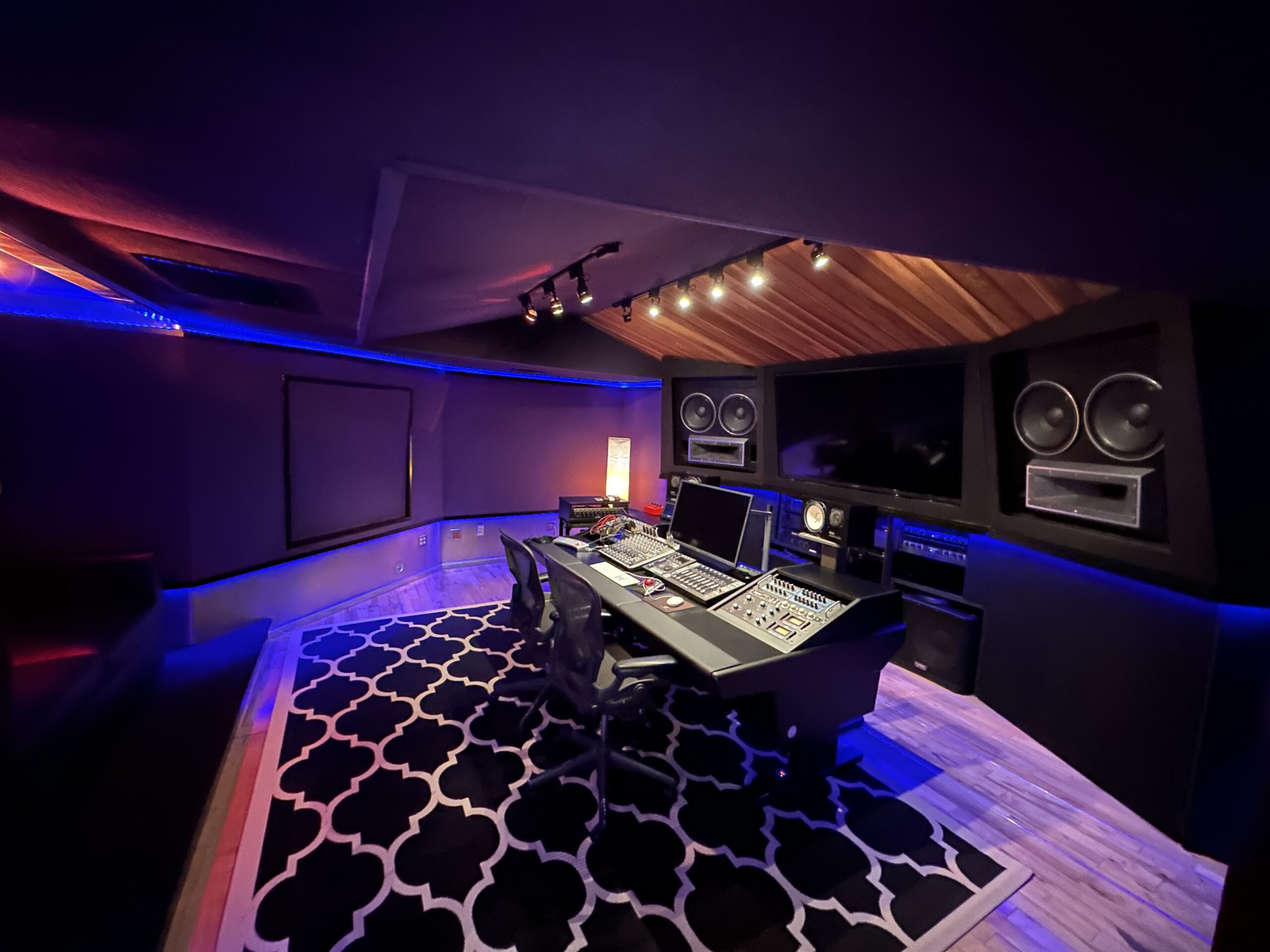
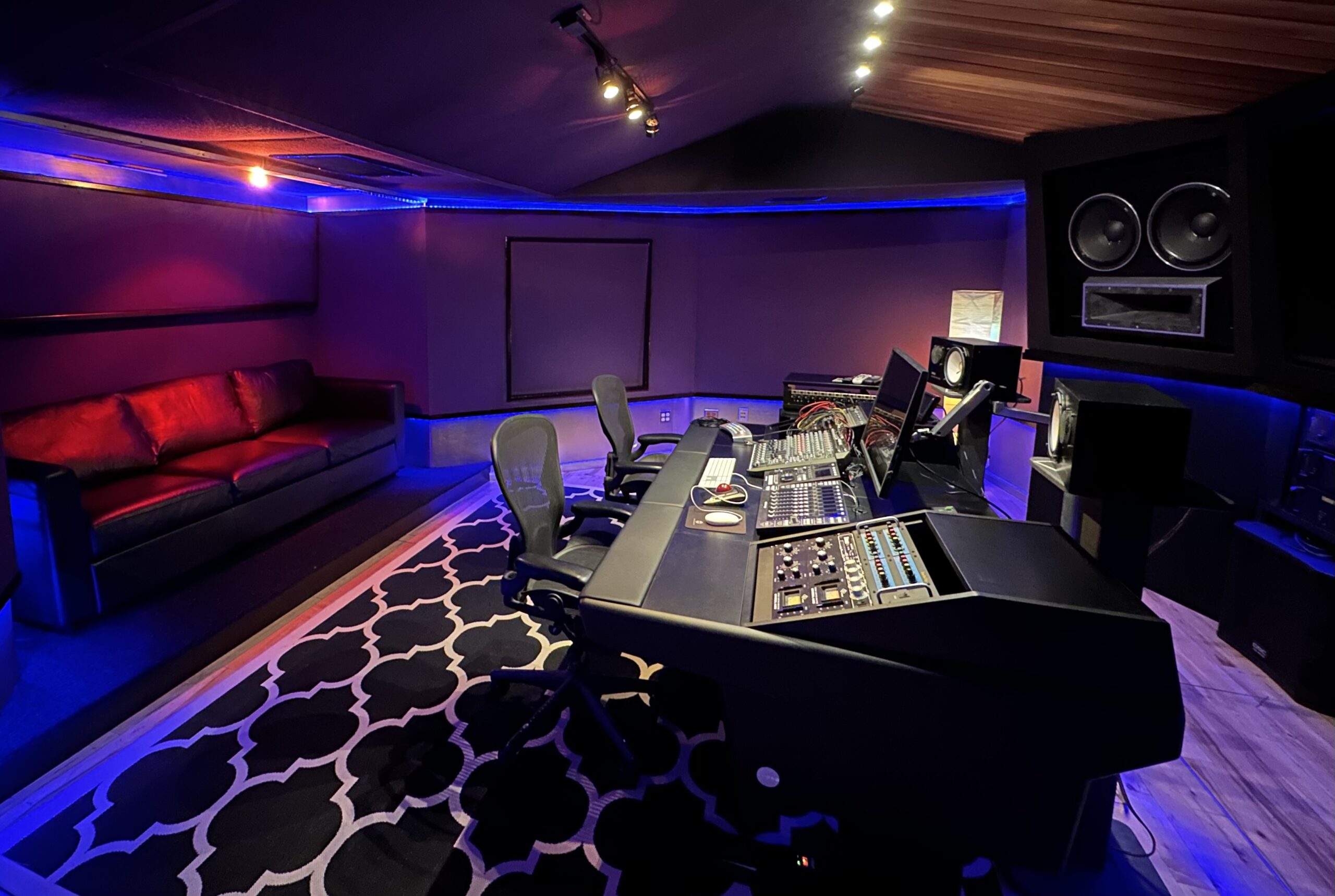
Studio A - Specs

Here are the specs:
PHYSICAL SPACE
26′ Deep x 15′ Wide

CONSOLE
SSL Big Six, UF1, and UF8

PLAYBACK MACHINES
Protools HDX 1

PLUGINS
For a full list send us a message

Mic Pres
Neve 1081
API 512
4 – SSL Super Analog Pre Amps
Phoenix Audio Pre Amp

Outboard Gear
2 – Uri 1176’s
Empirical Labs Distressor EL-P1 w/ British Mod
2 – NTI EQ3 w/ Air-band
2 – NTI EQ2

5.1 Surround
with the Studio Comm Monitoring system

MONITOR SYSTEM
Dangerous Monitor ST

MONITORS
4 – 15” Augspurgers with TAD Components
2 – 18” QSC Subs 
Yamaha NS-10
KRK
Auratone

PROJECTION
70” Sharp Screen
32” Samsung Monitor

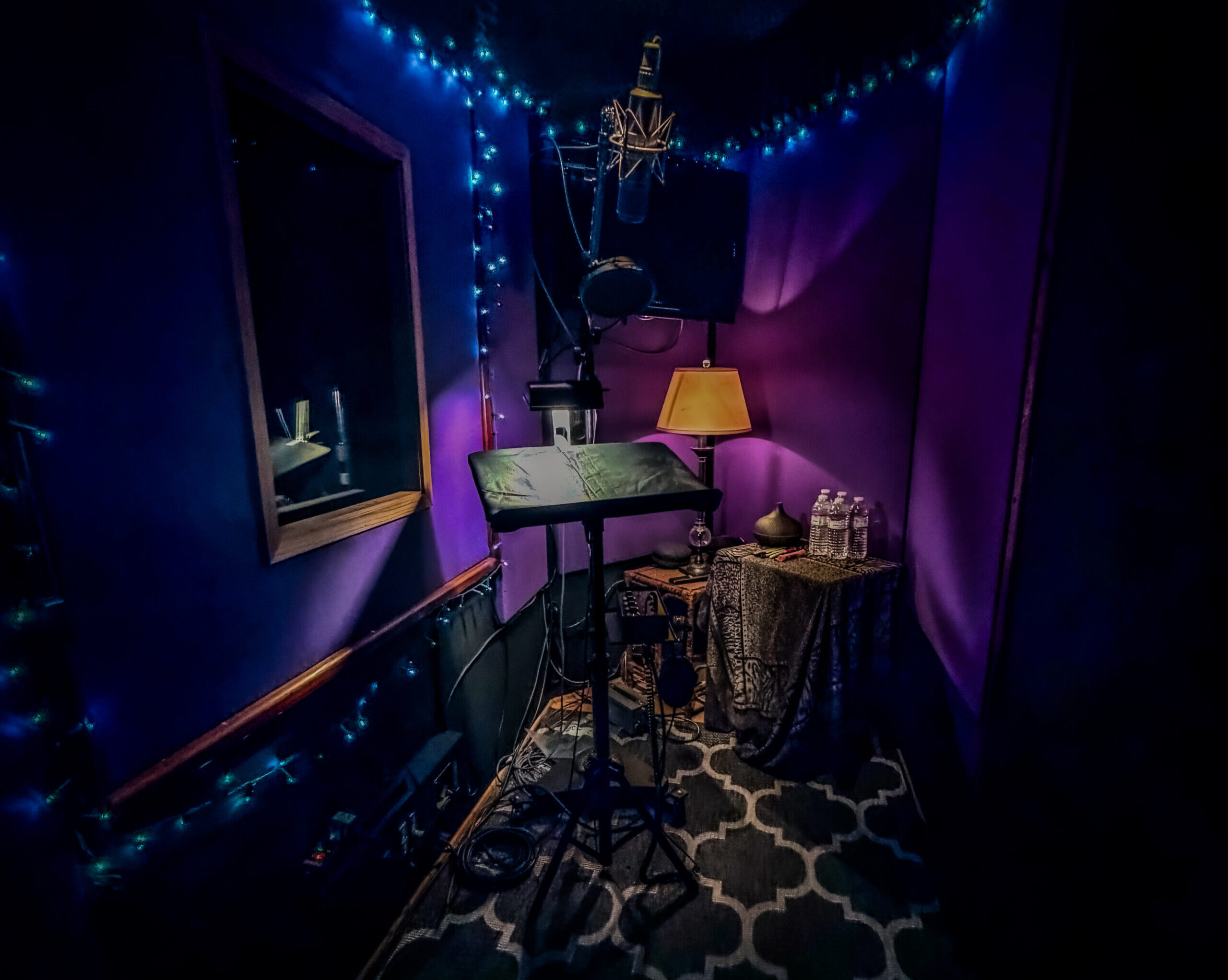
Vocal Booth
Our 11′ x 5′ vocal booth offers a comfortable, focused recording space with a 35-inch monitor
and a large window into the control room for seamless communication.
Our Services

Service Area

Recording Studio

1. In-Studio Recording (Most Instruments + Vocals)

  • Vocals (lead, doubles, harmonies, adlibs)
  • Acoustic guitar (single mic or multi-mic as needed)
  • Electric guitar (DI, amp’d, or both when required)
  • Bass (DI, amp’d, or both when required)
  • Keyboards / Synths (stereo DI, amp’d keys when applicable)
  • Horns / Brass / Woodwinds (solo or small sections)
  • Strings (small setups) (solo or small ensembles)
  • Percussion (non-drumkit) (shakers, tambourine, hand percussion, etc.)

2. DI + Amp Capture Options (Where Applicable)

  • Record DI only, amp only, or DI + amp simultaneously
  • Clean capture for flexibility in mix (re-amp-ready workflows when needed)

3. Session Workflow + Engineering

  • Engineer-run sessions including:
    • Input setup, mic selection/placement, gain staging
    • Headphone mixes and talkback workflow (as applicable)
    • Take management, comping/playlists when required
  • Organized session structure for efficient editing and mix handoff

4. Deliverables

  • Deliverables provided as:
  • Pro Tools session (zipped) or
  • Consolidated WAV files (from 00:00 when requested)
  • Tracks labeled clearly and exported cleanly for downstream mixing/post

5. Limitations

  • We can record everything except full drum kit tracking (drums not offered as an in-house tracking service)

Voice Over Recording

1. Remote Voice Over (Live Directed Sessions)

  • Source-Connect sessions for real-time, directed VO recording
  • Session Link Pro sessions for real-time, directed VO recording
  • Zoom-directed sessions (client attends, directs, and approves takes live)

2. In-Studio Voice Over Recording

  • Dedicated VO booth for controlled, clean voice capture
  • Engineer-run sessions with:
    • Mic selection and placement
    • Gain staging and level management
    • Real-time playback and take management

3. On-Site Voice Over (Location Recording)

  • VO booth on site option (when applicable to the project)
  • Portable capture workflow to record VO outside the studio while maintaining professional standards
  • Session organization and delivery consistent with studio deliverables

4. Microphone Options

  • Access to vintage microphones (selection depends on availability)
  • Mic choice guided by:
    • Voice tone and performance style
    • Project requirements (commercial, trailer, narration, character, etc.)
    • Desired sonic character (clean/modern vs colored/vintage)

5. Session Capture + Deliverables

  • Records captured as high-quality WAV files at the project’s required format (commonly 48k for post)
  • Organized exports including:
    • Main selects
    • Alternates/alt reads (if requested)
    • Full session files when needed (Pro Tools session or consolidated WAVs)

ADR Recording

ADR Recording Specs

1. Session Format / Technical

  • 48 kHz sample rate (session and all recorded files)
  • Record ADR/VO in sync to picture using the exact timecode (TC) of the client/LBR Post video
  • TC on the Pro Tools session must match the picture file provided

2. Picture + Sync Requirements

  • Client/LBR Post must provide a .MOV picture file for ADR reference/recording.
  • The .MOV must:
    • Contain the same timecode format used for the ADR session
    • Be the exact cut/version the ADR is being recorded to
    • Match the session start/timecode reference so ADR records in sync
  • The .MOV is required so we can:
    • Import picture into Pro Tools
    • Confirm TC lock + sync during looping/recording
    • Verify takes against picture before delivery
  • Import client/LBR Post picture into the ADR session
  • Verify:
    • Session TC matches picture TC
    • ADR takes are recorded to the correct TC positions
    • Playback and record are locked to picture timing (no drift)

3. Recording Setup Expectations

  • Record clean dialogue:
    • No clipping
    • Consistent input level across takes
    • Quiet room tone captured (as needed for edit/match)
    • ADR/VO should be captured dry unless a specific creative effect is explicitly requested

4. Delivery Format to LBR Post

  • Primary delivery: Pro Tools session zipped (full session folder)
  • Accepted alternative: OMF/AAF in place of Pro Tools session
  • Delivered package must include:
    • All audio files created during the record
    • Session file with correct TC and track layout

5. Track Layout / Organization (Required)

  • Primary recordings: one dedicated group of tracks (clearly labeled)
  • Alternate recordings: separate dedicated group of tracks (clearly labeled)
  • Any additional takes:
    • Placed on their own tracks or playlists
    • Clearly marked by scene/line/take (no ambiguous naming)

6. Labeling Standards

  • Tracks must be named to identify content (example structure):
    • ADR_Primary, ADR_Alt, ADR_Takes
  • Regions/clips labeled to identify:
    • Scene/line (or cue) + take number
    • Any notes about performance variations (if provided by director/client)

7. Final Session Prep

  • Confirm:
    • Correct sample rate (48k)
    • Correct TC format and sync to picture
    • Track layout matches required grouping (Primary vs Alternates vs Other takes)
  • Zip the session folder for transfer to LBR Post/client

Mixing

Detailed Tech Specs / Delivery Checklist

1. Session or Stems Delivery Format

  • Deliver either:
    • A Pro Tools session folder (preferred), or
    • WAV stems (one file per track/stem)
  • If delivering WAVs:
    • All files must be consolidated from 00:00 (same start time for every file)
    • No “floating” regions with different start points

2. Track Naming + Session Organization

  • Every track must be clearly labeled (no “Audio 1”, “Lead Vox_03.1”, etc.)
  • Use consistent naming categories where possible:
    • DRUMS (Kick, Snare Top, Snare Bottom, OH L/R, Room, etc.)
    • BASS (DI, Amp)
    • MUSIC (Keys, Guitars, Synths, FX)
    • VOCALS (Lead, Doubles, Harmonies, Adlibs)
    • Keep color groups / track order clean if working in Pro Tools

3. Rough Mix Reference

  • Include a printed rough mix inside the session folder:
    • WAV or AIFF reference
    • Clearly named (ex: SongTitle_RoughMix_REF.wav)
  • Rough mix should represent:
    • Intended balance, FX vibe, and arrangement decisions

4. Cleanup: Remove Clutter

  • Delete or remove unused tracks when possible
  • If deletion is not preferred:
    • Make inactive + hide unused tracks
  • Keep only what is required for the final mix

5. Creative FX That Must Translate

  • Any “must-keep” FX that defines the production must be printed to audio:
    • Delay throws, special reverbs, modulation, distortion, sound design chains
  • Provide both when relevant:
    • Dry source track
    • Printed FX return/print track (clearly labeled)

6. SoundToys EchoBoy Requirement

  • Any EchoBoy processing that matters to the production must be printed
  • Print should be:
    • Clearly labeled (ex: LVox_EchoBoy_PRINT)
    • Time-aligned and consolidated where possible

7. Vocal Prep: Tuning

  • Vocals must be pre-tuned before delivery
  • If vocal tuning is requested as a service:
    • Provide untuned vocals and clearly label them as such

8. Vocal Prep: Cleanup / Editing

  • Vocals must be cleaned before delivery:
    • Remove clicks/pops
    • Control excessive breaths
    • Reduce unwanted noise between phrases
  • If cleanup is requested as a service:
    • Deliver raw vocals and label: UNCLEAN_VOX (or equivalent)

9. Mix 1 + Notes Workflow

  • First mix print (“Mix 1”) will be delivered for review
  • A review window begins after Mix 1 is delivered
  • Notes must be returned as either:
    • One consolidated change list, or
    • A scheduled mix review session

10. Revision Notes Requirements

  • Notes should be specific and time-based where possible:
    • Timestamp (mm:ss) + requested change
  • Avoid conflicting or piecemeal notes sent across multiple messages

11. Final Approval + Masters

  • After final approval, deliver hi-res masters
  • Masters will be printed/exported at the agreed format (example: 24-bit WAV at session sample rate)

12. Standard Deliverables Included

  • Master
  • Instrumental
  • TV Mix (instrumental + background vocals, no lead vocal)
  • Acapella

13. Stems Policy

  • Industry-standard stems included with final delivery
  • Any non-standard stems must be specified before mixing begins
  • If non-standard stems are requested:
    • Session delivery is included to support stem creation/verification

14. Approval Gate

  • Final delivery package is released only after:
    • Explicit final mix approval is received

15. File Transfer + Backup

  • Deliverables will be:
    • Copied to client-provided hard drive or
    • Uploaded to a secure server link
  • Studio retains a backup copy of the final deliverables

16. Optional Mastering Referral

  • Mastering is not included unless specified
  • A trusted mastering house recommendation can be provided if requested

Post Production

OMF/AAF Delivery Specs (Required)

1. Session Format

  • 48 kHz sample rate
  • OMF/AAF Version 2.0 only
  • Embedded audio media (no external media links)
  • No video data included in the OMF/AAF

2. Timecode + Sync

  • OMF/AAF timecode format must match the picture timeline LBR Post is using
  • All audio in the OMF/AAF must be in sync with the video

3. No Printed Processing / Raw Elements Only

  • Deliver discrete tracks only (no mixed stems as source)
  • No printed effects or combined/processed audio baked into tracks
  • Dialogue must be raw production sound (not processed, not “sweetened”)

4. 2-Pop + Handles + Track Order

  • Include a 2-pop at the correct sync point
  • All clips must include handles
  • Dialogue tracks first in the track layout

5. Swapped Audio Must Still Be Included

  • If any original production audio was replaced/swapped, include the original
  • Add a clear notation identifying what was swapped and why (reference only)

6. Sound Effects Track Requirements

  • Sound effects must be on discrete tracks
  • No stacking sound effects on top of other tracks

7. Music Track Requirements

  • Music must be stereo WAV files
  • Music must be on discrete tracks
  • No stacking music on other tracks or combined with SFX/dialogue

8. Picture Source (.MOV)

  • Client/LBR Post must provide a .MOV picture file as the reference source for sync.
  • The .MOV must:
    • Match the exact cut/version the OMF/AAF is built against
    • Contain timecode that matches the OMF/AAF timecode format
    • Stay in sync with the OMF/AAF from start through end
  • The .MOV is required so we can:
    • Verify timecode alignment + sync
    • Confirm 2-pop placement
    • Validate dialogue/SFX/music alignment against picture

1. Remote Voice Over (Live Directed Sessions)

  • Source-Connect sessions for real-time, directed VO recording
  • Session Link Pro sessions for real-time, directed VO recording
  • Zoom-directed sessions (client attends, directs, and approves takes live)

2. In-Studio Voice Over Recording

  • Dedicated VO booth for controlled, clean voice capture
  • Engineer-run sessions with:
    • Mic selection and placement
    • Gain staging and level management
    • Real-time playback and take management

3. On-Site Voice Over (Location Recording)

  • VO booth on site option (when applicable to the project)
  • Portable capture workflow to record VO outside the studio while maintaining professional standards
  • Session organization and delivery consistent with studio deliverables

4. Microphone Options

  • Access to vintage microphones (selection depends on availability)
  • Mic choice guided by:
    • Voice tone and performance style
    • Project requirements (commercial, trailer, narration, character, etc.)
    • Desired sonic character (clean/modern vs colored/vintage)

5. Session Capture + Deliverables

  • Records captured as high-quality WAV files at the project’s required format (commonly 48k for post)
  • Organized exports including:
    • Main selects
    • Alternates/alt reads (if requested)
    • Full session files when needed (Pro Tools session or consolidated WAVs)
ADR Recording Specs

1. Session Format / Technical

  • 48 kHz sample rate (session and all recorded files)
  • Record ADR/VO in sync to picture using the exact timecode (TC) of the client/LBR Post video
  • TC on the Pro Tools session must match the picture file provided

2. Picture + Sync Requirements

  • Client must provide a .MOV picture file for ADR reference/recording.
  • The .MOV must:
    • Contain the same timecode format used for the ADR session
    • Be the exact cut/version the ADR is being recorded to
    • Match the session start/timecode reference so ADR records in sync
  • The .MOV is required so we can:
    • Import picture into Pro Tools
    • Confirm TC lock + sync during looping/recording
    • Verify takes against picture before delivery
  • Import client/LBR Post picture into the ADR session
  • Verify:
    • Session TC matches picture TC
    • ADR takes are recorded to the correct TC positions
    • Playback and record are locked to picture timing (no drift)

3. Recording Setup Expectations

  • Record clean dialogue:
    • No clipping
    • Consistent input level across takes
    • Quiet room tone captured (as needed for edit/match)
    • ADR/VO should be captured dry unless a specific creative effect is explicitly requested

4. Delivery Format to LBR Post

  • Primary delivery: Pro Tools session zipped (full session folder)
  • Accepted alternative: OMF/AAF in place of Pro Tools session
  • Delivered package must include:
    • All audio files created during the record
    • Session file with correct TC and track layout

5. Track Layout / Organization (Required)

  • Primary recordings: one dedicated group of tracks (clearly labeled)
  • Alternate recordings: separate dedicated group of tracks (clearly labeled)
  • Any additional takes:
    • Placed on their own tracks or playlists
    • Clearly marked by scene/line/take (no ambiguous naming)

6. Labeling Standards

  • Tracks must be named to identify content (example structure):
    • ADR_Primary, ADR_Alt, ADR_Takes
  • Regions/clips labeled to identify:
    • Scene/line (or cue) + take number
    • Any notes about performance variations (if provided by director/client)

7. Final Session Prep

  • Confirm:
    • Correct sample rate (48k)
    • Correct TC format and sync to picture
    • Track layout matches required grouping (Primary vs Alternates vs Other takes)
  • Zip the session folder for transfer to LBR Post/client
Detailed Tech Specs / Delivery Checklist

1. Session or Stems Delivery Format

  • Deliver either:
    • A Pro Tools session folder (preferred), or
    • WAV stems (one file per track/stem)
  • If delivering WAVs:
    • All files must be consolidated from 00:00 (same start time for every file)
    • No “floating” regions with different start points

2. Track Naming + Session Organization

  • Every track must be clearly labeled (no “Audio 1”, “Lead Vox_03.1”, etc.)
  • Use consistent naming categories where possible:
    • DRUMS (Kick, Snare Top, Snare Bottom, OH L/R, Room, etc.)
    • BASS (DI, Amp)
    • MUSIC (Keys, Guitars, Synths, FX)
    • VOCALS (Lead, Doubles, Harmonies, Adlibs)
    • Keep color groups / track order clean if working in Pro Tools

3. Rough Mix Reference

  • Include a printed rough mix inside the session folder:
    • WAV or AIFF reference
    • Clearly named (ex: SongTitle_RoughMix_REF.wav)
  • Rough mix should represent:
    • Intended balance, FX vibe, and arrangement decisions

4. Cleanup: Remove Clutter

  • Delete or remove unused tracks when possible
  • If deletion is not preferred:
    • Make inactive + hide unused tracks
  • Keep only what is required for the final mix

5. Creative FX That Must Translate

  • Any “must-keep” FX that defines the production must be printed to audio:
    • Delay throws, special reverbs, modulation, distortion, sound design chains
  • Provide both when relevant:
    • Dry source track
    • Printed FX return/print track (clearly labeled)

6. SoundToys EchoBoy Requirement

  • Any EchoBoy processing that matters to the production must be printed
  • Print should be:
    • Clearly labeled (ex: LVox_EchoBoy_PRINT)
    • Time-aligned and consolidated where possible

7. Vocal Prep: Tuning

  • Vocals must be pre-tuned before delivery
  • If vocal tuning is requested as a service:
    • Provide untuned vocals and clearly label them as such

8. Vocal Prep: Cleanup / Editing

  • Vocals must be cleaned before delivery:
    • Remove clicks/pops
    • Control excessive breaths
    • Reduce unwanted noise between phrases
  • If cleanup is requested as a service:
    • Deliver raw vocals and label: UNCLEAN_VOX (or equivalent)

9. Mix 1 + Notes Workflow

  • First mix print (“Mix 1”) will be delivered for review
  • A review window begins after Mix 1 is delivered
  • Notes must be returned as either:
    • One consolidated change list, or
    • A scheduled mix review session

10. Revision Notes Requirements

  • Notes should be specific and time-based where possible:
    • Timestamp (mm:ss) + requested change
  • Avoid conflicting or piecemeal notes sent across multiple messages

11. Final Approval + Masters

  • After final approval, deliver hi-res masters
  • Masters will be printed/exported at the agreed format (example: 24-bit WAV at session sample rate)

12. Standard Deliverables Included

  • Master
  • Instrumental
  • TV Mix (instrumental + background vocals, no lead vocal)
  • Acapella

13. Stems Policy

  • Industry-standard stems included with final delivery
  • Any non-standard stems must be specified before mixing begins
  • If non-standard stems are requested:
    • Session delivery is included to support stem creation/verification

14. Approval Gate

  • Final delivery package is released only after:
    • Explicit final mix approval is received

15. File Transfer + Backup

  • Deliverables will be:
    • Copied to client-provided hard drive or
    • Uploaded to a secure server link
  • Studio retains a backup copy of the final deliverables

16. Optional Mastering Referral

  • Mastering is not included unless specified
  • A trusted mastering house recommendation can be provided if requested
OMF/AAF Delivery Specs (Required)

1. Session Format

  • 48 kHz sample rate
  • OMF/AAF Version 2.0 only
  • Embedded audio media (no external media links)
  • No video data included in the OMF/AAF

2. Timecode + Sync

  • OMF/AAF timecode format must match the picture timeline LBR Post is using
  • All audio in the OMF/AAF must be in sync with the video

3. No Printed Processing / Raw Elements Only

  • Deliver discrete tracks only (no mixed stems as source)
  • No printed effects or combined/processed audio baked into tracks
  • Dialogue must be raw production sound (not processed, not “sweetened”)

4. 2-Pop + Handles + Track Order

  • Include a 2-pop at the correct sync point
  • All clips must include handles
  • Dialogue tracks first in the track layout

5. Swapped Audio Must Still Be Included

  • If any original production audio was replaced/swapped, include the original
  • Add a clear notation identifying what was swapped and why (reference only)

6. Sound Effects Track Requirements

  • Sound effects must be on discrete tracks
  • No stacking sound effects on top of other tracks

7. Music Track Requirements

  • Music must be stereo WAV files
  • Music must be on discrete tracks
  • No stacking music on other tracks or combined with SFX/dialogue

8. Picture Source (.MOV)

  • Client must provide a .MOV picture file as the reference source for sync.
  • The .MOV must:
    • Match the exact cut/version the OMF/AAF is built against
    • Contain timecode that matches the OMF/AAF timecode format
    • Stay in sync with the OMF/AAF from start through end
  • The .MOV is required so we can:
    • Verify timecode alignment + sync
    • Confirm 2-pop placement
    • Validate dialogue/SFX/music alignment against picture

Collaborations

Collaborations

Experience

2024 – Present
Visual Designer
Horizon Tech Labs
2020 – 2023
Visual Designer
Future Forward Enterprises
2019
Visual Designer
Dynamic Designs Academy
2018 – 2019
Art Director
PixelCraft Studios
2017 – 2018
Art Director
Visionary Arts Institute
2016 – 2017
Web Designer
Innovatech Solutions
2015 – 2016
Intern
Creative Minds University

Awards

6 Emmys / Grammys
3 Golden Reel Nominations
13 Tek Nominations
Manufacturer Endorsements

Recommendations

Working with Antonio and his team was an absolute pleasure. Their attention to detail, creativity, and dedication to delivering top-notch results exceeded our expectations. I highly recommend Antonio Toscani Design Studio to anyone looking for exceptional digital design services.

John Smith
Marketing Director at Enigma Spark

Antonio's design expertise and strategic insights were invaluable in helping us revamp our website. His ability to understand our brand identity and translate it into a visually compelling digital experience was impressive.

Sarah Johnson
Marketing Director at Essence Forge

I've had the pleasure of collaborating with Antonio on multiple projects, and each time, he has surpassed all expectations. His professionalism, creativity, and commitment to excellence make him a trusted partner in the digital design space. I look forward to working with him again in the future.
Michael Thompson
Founder of Prism Aura Inc.

I've had the pleasure of collaborating with Antonio on multiple projects, and each time, he has surpassed all expectations. His professionalism, creativity, and commitment to excellence make him a trusted partner in the digital design space. I look forward to working with him again in the future.

Emily Chen
Creative Director at Nexus Quest

Ready to get started?

We’re booking new sessions for recording, mixing, Podcast, ADR, voiceover, and post-production.

Label